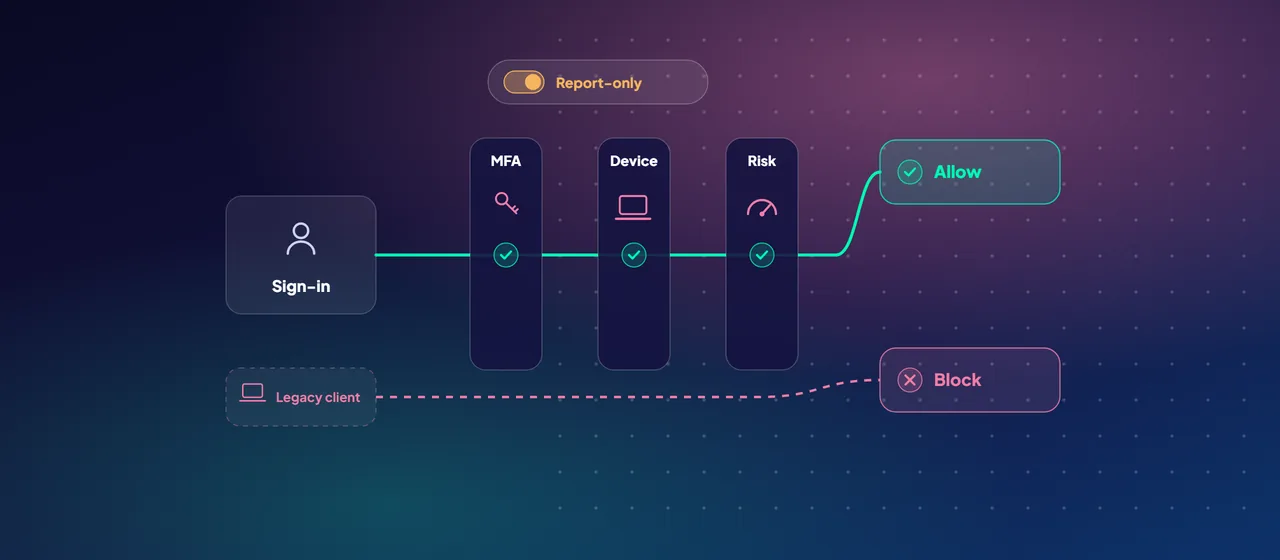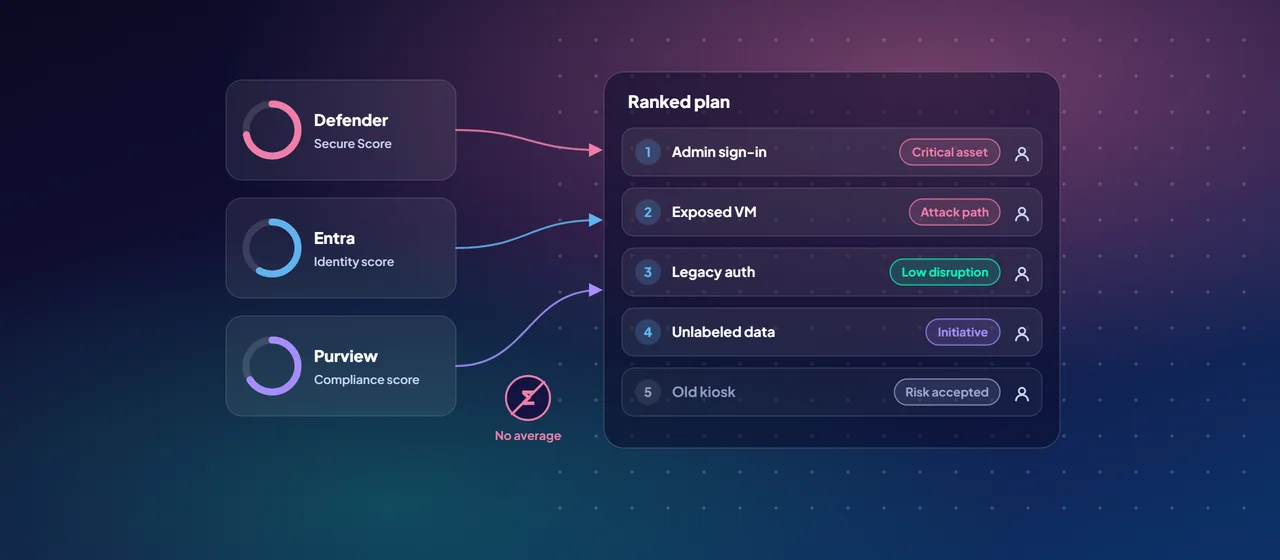
A typical Microsoft customer has several security scores. There's one in the Defender portal, one in the Entra admin center, one or two for Defender for Cloud, and a compliance score in Purview. Each comes with its own list of recommendations. Security teams end up with hundreds of open items and no clear order to work through them.
Then the board asks a simple question: "Are we more secure than last quarter?" Nobody wants to answer with four different percentages. This post explains how Microsoft's scores relate to each other, where Microsoft Security Exposure Management brings them together, and how to turn the lot into one ranked plan and one report.
The scores you already have
Before combining anything, be clear about what each score measures.
- Microsoft Secure Score is in the Microsoft Defender portal. It measures how many recommended security actions you've taken across Microsoft Entra ID, the Defender products, Exchange Online, SharePoint Online, Teams and Purview Information Protection. It also covers some non-Microsoft apps, such as Salesforce, ServiceNow, Okta and GitHub. Each action is worth up to 10 points, and some give partial credit.
- Identity Secure Score is in the Microsoft Entra admin center. Microsoft states that it's the identity part of Microsoft Secure Score, with the same recommendations. It's a different view of the same data, not an extra score to track.
- Cloud Secure Score comes from Microsoft Defender for Cloud and measures posture across Azure, AWS and Google Cloud. There are now two models. The classic secure score in the Azure portal is based on security controls. The newer risk-based Cloud Secure Score in the Defender portal weights recommendations by risk level, asset risk factors such as internet exposure, and how critical the asset is. Microsoft states that these are completely different models with different values.
- Compliance score is in Microsoft Purview Compliance Manager. It tracks improvement actions against regulations and standards, starting from a data protection baseline built mainly on NIST CSF and ISO. It measures compliance activity, not security exposure. Microsoft notes that it isn't a guarantee of compliance.
Where Exposure Management fits
Microsoft Security Exposure Management, in the Defender portal, brings these signals together. It pulls recommendations from Exposure Management itself, Microsoft Secure Score and Defender for Cloud into one recommendations catalog. The catalog is organized by attack surface domain (devices, cloud, identity, SaaS and data) and by issue type.
Its main tool for prioritizing is the security initiative. An initiative groups metrics and recommendations around a goal. Microsoft offers several kinds:
- Workload initiatives, such as endpoint, identity and cloud security.
- Horizontal threat initiatives, such as ransomware protection and business email compromise.
- Threat analytics initiatives, based on current Microsoft threat research.
- A Zero Trust initiative that follows Microsoft's Zero Trust adoption framework.
- An external attack surface management initiative.
Each initiative has a score based on the value and weight of its metrics. You can set a target score, see a 14-day trend and full history, and get an event when a score drops. Exposure Management also lets you tag critical assets and shows attack paths, including choke points where many paths meet.
Some practical limits: Exposure Management is available with Microsoft 365 E5, with Microsoft 365 E3 plus certain add-ons, and with Microsoft Defender suite licenses. It runs in the public cloud only. Microsoft says data from its own products can take up to 72 hours to appear in the exposure graph. External data connectors for tools such as ServiceNow CMDB, Tenable, Qualys and Rapid7 are in preview.
Don't add the scores together
It's tempting to average the scores into one number. Don't. The formulas are incompatible:
- Secure Score adds up points per action, mostly all-or-nothing.
- Cloud Secure Score weights recommendations by risk and asset criticality.
- The compliance score gives each action a fixed value based on its type. For example, a mandatory preventative action is worth 27 points and a discretionary detective action is worth 1.
An average of these means nothing, and it can hide a sharp drop in one area. Keep each score in its domain. Use initiatives to show progress toward a goal. Report trends, not raw numbers.
Adds up points per action, mostly all-or-nothing.
Weights recommendations by risk and asset criticality.
Gives each action a fixed value based on its type.
From recommendations to a ranked plan
Here's a sequence that turns a long backlog into a plan you can execute:
- Mark your critical assets. Use critical asset management to flag the identities, devices and cloud resources that matter most. Prioritization depends on it.
- Choose three or four initiatives. Match them to your top risks. For a regulated organization, that's often ransomware, identity and Zero Trust. Leave the rest for later.
- Set target scores. Agree targets for each initiative for the quarter, with the business, not just within the security team.
- Rank the recommendations. For each open item, ask four questions. Does it affect a critical asset? Does it sit on an attack path or choke point? How much does it move the initiative score? How much user disruption and effort does it involve? High-impact, low-disruption items go first.
- Assign owners and record decisions. Each item gets an owner and a due date. If you won't implement something, mark it as risk accepted and give a reason. If another tool covers it, mark it as resolved through a third party. Honest statuses keep the numbers meaningful.
- Watch for regressions. Use initiative events to catch score drops quickly. Drift often comes from a new app, a policy exclusion or unmanaged devices.
Reporting to the board
Boards need direction, context and decisions, not dashboards. A one-page quarterly report usually covers it:
- Initiative scores against target, with the trend since last quarter.
- Exposure of critical assets: how many critical assets have open high-risk recommendations or known attack paths.
- Top three improvements delivered, described in business terms. For example, "all admin access now requires phishing-resistant sign-in".
- Accepted risks, each with an owner and a review date.
- Decisions needed, such as budget, licensing or a policy change that affects users.
Add one caution to every report. Microsoft states that Secure Score isn't an absolute measure of how likely you are to be breached. It shows how far you've adopted controls that reduce risk. Present scores as a measure of progress, never as a promise.
Where to start
Start with a posture baseline. Record your current scores, tag critical assets in Exposure Management, pick your first initiatives and agree targets for the quarter. CloudGate runs this as a short posture assessment for organizations that want help setting up the first cycle.
Talk to an architect