Most enterprise security was designed around a network boundary. Inside the firewall was trusted and outside was not. That model breaks when staff work from anywhere, apps run as SaaS, and attackers log in with stolen credentials instead of breaking in. Microsoft's guidance points out that today's common attacks, such as phishing, identity compromise and session hijacking, don't depend on network location at all.
Zero Trust is the response. It's not a product you buy. It's a way of designing access so that every request is checked on its own merits. The hard part isn't agreeing with the idea. It's deciding what to do first, what to do next quarter, and how to show progress to people who don't read Conditional Access policies.
The three principles
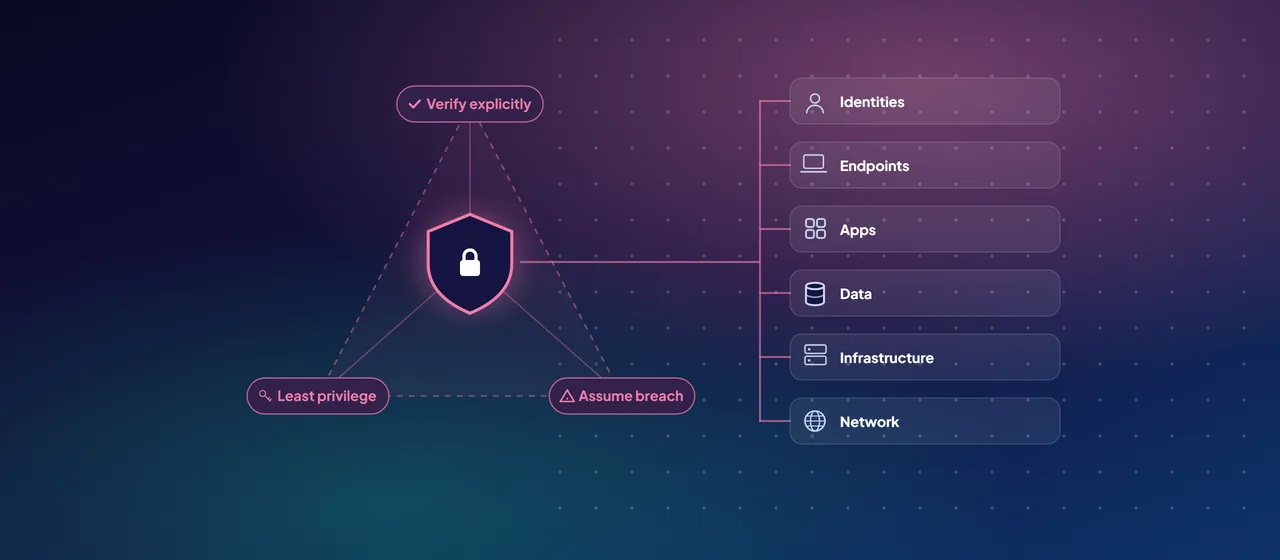
Microsoft's Zero Trust guidance rests on three principles:
- Verify explicitly. Authenticate and authorize every request using all available signals: who the user is, the device's health, location, the workload, how sensitive the data is, and unusual behavior.
- Use least privilege access. Give users and workloads only the access they need, for only as long as they need it. That means just-in-time and just-enough access, risk-based adaptive policies and data protection.
- Assume breach. Design as if an attacker is already inside. Segment access to limit the blast radius, encrypt end to end, and invest in detection and fast response.
Verification is continuous. Trust is re-evaluated during a session as conditions change, not granted once at sign-in.
The six technology pillars
Microsoft applies these principles across six technology pillars. Its adoption model adds a seventh, security operations, which ties the other six together.
- Identities. Every access decision starts here. In Microsoft's stack, that means Microsoft Entra ID, Conditional Access, Microsoft Entra ID Protection for risk-based policies, and Privileged Identity Management for just-in-time admin access.
- Endpoints. Access depends on the device's health and compliance. Microsoft Intune manages and assesses devices. Microsoft Defender for Endpoint detects threats and reports device risk.
- Apps. Control how apps access data, including permissions, user consent and session controls. Microsoft Defender for Cloud Apps discovers and governs SaaS apps, including generative AI apps.
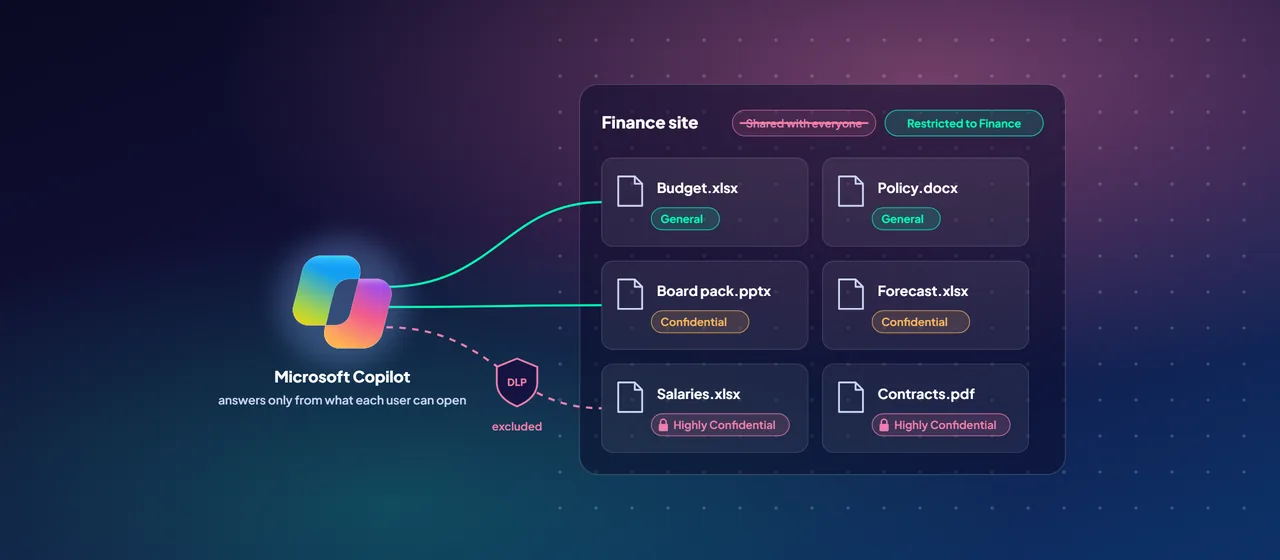
- Data. Protection should travel with the data itself. Microsoft Purview Information Protection classifies, labels and encrypts content, and data loss prevention (DLP) stops it leaving.
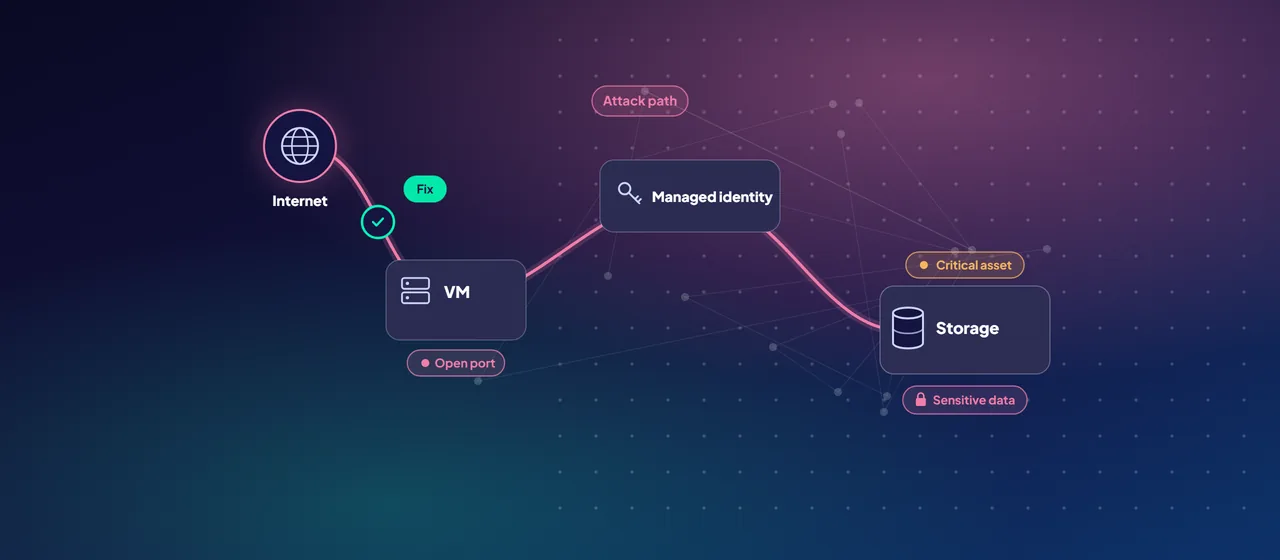
- Infrastructure. Harden servers, virtual machines, containers and cloud services through configuration, access control and monitoring. Microsoft Defender for Cloud assesses and protects workloads across Azure, AWS and Google Cloud.
- Network. Segment traffic and control movement. Microsoft Entra Private Access and Microsoft Entra Internet Access, together called Global Secure Access, apply identity-aware policy to private apps and internet traffic. Private Access can replace broad VPN access with per-app access.
- Security operations. Microsoft Defender XDR and Microsoft Sentinel collect signals from every pillar to detect, investigate and respond.
Why pillar-by-pillar doesn't work
It's tempting to hand each pillar to its team and wait. Microsoft's adoption framework warns against this. As its example puts it, the identity team can only go so far with Conditional Access before it needs the endpoint team to deliver device compliance.
Instead, the framework organizes work around five business scenarios that cut across pillars:
- Rapidly modernize your security posture
- Secure remote and hybrid work
- Identify and protect sensitive business data
- Prevent or reduce business damage from a breach
- Meet regulatory and compliance requirements
Each scenario moves through the lifecycle phases of the Cloud Adoption Framework (define strategy, plan, ready, adopt, govern, manage) and is split into four implementation stages. Microsoft designed the stages to line up across scenarios, so finishing Stage 1 everywhere moves the whole organization forward together.
A practical adoption sequence
Here's a sequence based on Microsoft's Zero Trust deployment plan for Microsoft 365 and its adoption framework. Most organizations can run steps 3 to 7 in overlapping waves.
- Agree on the why. Pick the business scenarios that match your biggest risks and regulatory pressure. Write down what you're doing, why, and how you'll measure success. Get buy-in from the executive team, not only the CISO.
- Baseline your posture. Run Microsoft's Zero Trust Assessment, a free, read-only, open-source tool that tests your tenant configuration. Record your starting scores in Microsoft Security Exposure Management, which is a Stage 1 objective in Microsoft's guidance.
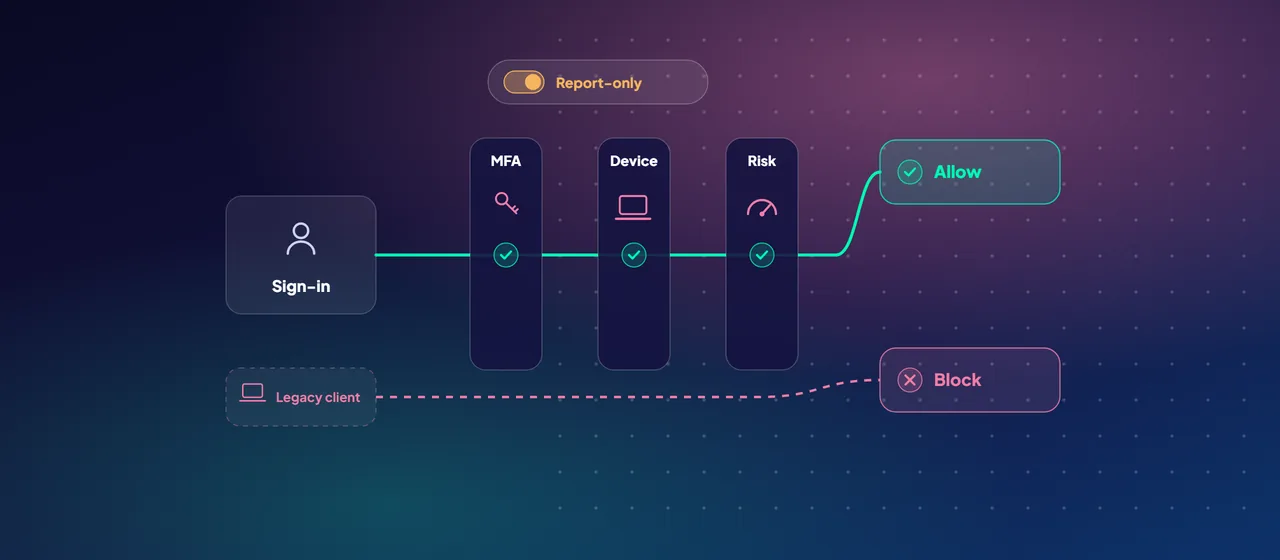
- Starting-point identity and access policies. Apply Microsoft's recommended starting-point Conditional Access policies: MFA, blocking legacy authentication, and risk-based policies where you have Entra ID P2. These don't require managed devices, so you can deploy them quickly. Protect your emergency access accounts first.
- Enroll devices. Bring corporate devices into Intune with compliance and app protection policies.
- Move to Enterprise-tier policies. Once devices report compliance, require compliant devices for access to sensitive apps and data.
- Deploy threat protection. Pilot and roll out Defender XDR across identity, email, endpoints and cloud apps, so a compromise is detected and contained.
- Protect sensitive data. Define sensitivity labels, apply DLP to your most sensitive data types, and fix SharePoint oversharing. Do this before or alongside Microsoft Copilot. You can start data work at any time.
- Extend to infrastructure and network. Onboard cloud workloads to Defender for Cloud, segment networks, and replace VPN access for high-value private apps with per-app access.
- Govern and repeat. Track progress, fix drift, and raise the bar stage by stage.
- 1Starting-point policies
MFA, blocking legacy authentication, and risk-based policies with P2. No managed devices needed.
- 2Enroll devices
Bring corporate devices into Intune with compliance and app protection policies.
- 3Enterprise-tier policies
Once devices report compliance, require compliant devices for sensitive apps and data.
Measuring progress
A Zero Trust program needs numbers that leaders can follow. Microsoft Security Exposure Management includes a Zero Trust initiative that follows the adoption framework and reports progress by business scenario. Other initiatives, such as Ransomware Protection, count toward the same picture. Microsoft Secure Score adds a configuration view across Microsoft 365 workloads.
Two cautions. First, Microsoft notes that in-product percentages might be misleading if you've chosen not to implement some controls because of scope, licensing or capacity. Record those decisions explicitly. Second, pair product metrics with risk measures your board already knows. Microsoft's guidance points to ISO/IEC 27001 and ISO 31000 as common frameworks for this.
Common pitfalls
- Turning on device-compliance requirements before devices are enrolled, which locks users out.
- Excluding so many accounts from Conditional Access that the policy protects little.
- Treating Zero Trust as a network project and leaving identity and data untouched.
- Declaring victory after MFA. MFA is Stage 1, not the finish line.
- Tracking tasks completed instead of risk reduced.
Where to start
Start with a short Zero Trust discovery workshop. Choose one or two business scenarios, run the Zero Trust Assessment, capture baseline scores, and leave with a staged plan and named owners for the next two quarters. Microsoft publishes workshop material for this, and CloudGate runs these workshops with customer teams.
Talk to an architect