Oracle still runs the core of many banks, utilities and government systems. The analytics built on top of it usually looks the same: nightly extracts, a staging schema, a set of ETL jobs, and reports that are always a day behind. When a job fails, the reports are two days behind.
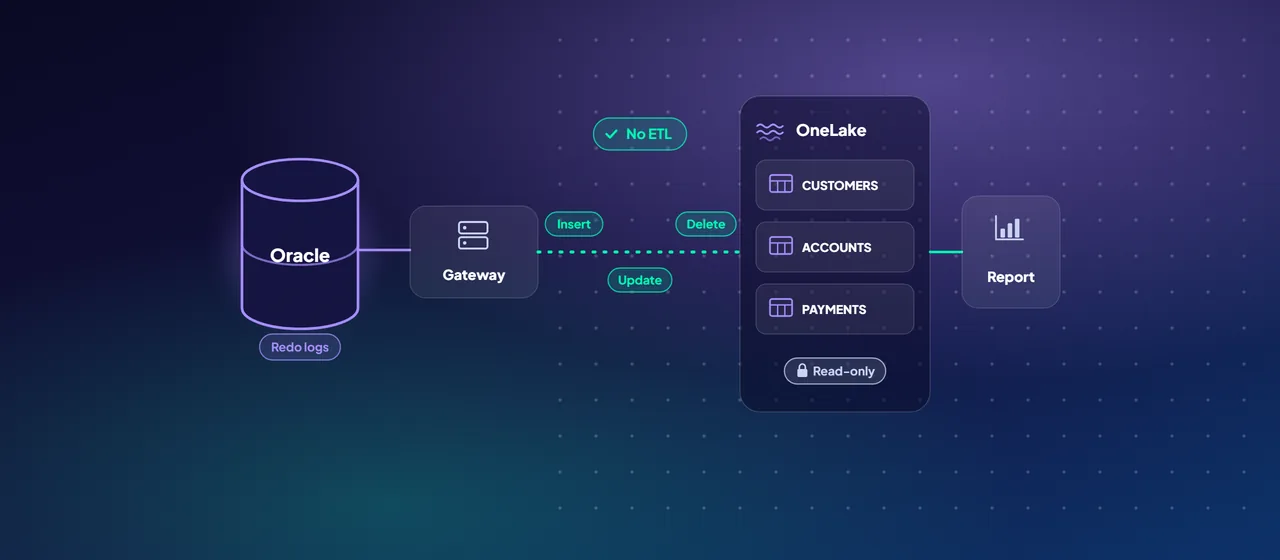
Mirroring in Microsoft Fabric offers another route. Instead of building pipelines, you point Fabric at the Oracle database, choose the tables, and Fabric keeps a near real-time, read-only copy in OneLake. Microsoft announced general availability of mirroring for Oracle in March 2026. This post covers how it works, what you need in place, what it costs, and where Oracle GoldenGate still has a role.
How Oracle mirroring works
Mirroring is Fabric's managed replication feature. For Oracle it has three moving parts:
- LogMiner on the Oracle side. LogMiner reads the database's redo logs to identify inserts, updates and deletes. This is why mirroring needs archive log mode and supplemental logging: the changes must be recorded in enough detail to replay them.
- The on-premises data gateway. Fabric connects to Oracle only through the on-premises data gateway, installed on a machine that can reach the database. Microsoft requires gateway version 3000.282.5 or later and recommends updating it monthly, because mirroring improvements for Oracle ship in gateway releases.
- The Fabric replicator. Inside Fabric, a replicator process merges incoming changes into Delta tables in OneLake. Across mirroring sources, Microsoft says changes can be published as often as every 15 seconds, and actual latency depends on change volume, network and the gateway's compute.
Supported sources include Oracle 10 and later on-premises or on virtual machines (including Azure VMs), Oracle Cloud Infrastructure, Oracle Database@Azure and Oracle Exadata. The database must be in read-write mode, since LogMiner does not work on read-only databases.
- 1LogMiner
Reads the redo logs for inserts, updates and deletes.
- 2Data gateway
The on-premises data gateway connects Fabric to Oracle.
- 3Replicator
Merges incoming changes into Delta tables in OneLake.
- 4OneLake
Read-only Delta tables and a SQL analytics endpoint.
Prerequisites checklist
Most of the setup is on the Oracle side, and most of it needs a DBA:
- Enable archive log mode. This requires a database restart and, per Microsoft's tutorial, a backup before and after the change. Plan a maintenance window.
- Enable supplemental logging at database level (including primary key and unique columns) and on each table you plan to mirror.
- Create a sync user with the permissions Microsoft lists, including LOGMINING, SELECT ANY TABLE and FLASHBACK ANY TABLE. Review these with your security team, since they are broad.
- Set archive log retention. Aggressive purging during the initial load or heavy change activity causes retries and errors. Microsoft suggests keeping at least the last 24 hours of logs if you cannot plan around load windows.
- Install the on-premises data gateway on a dedicated machine with network access to Oracle, and connect it to your Fabric workspace. Microsoft recommends fewer, larger gateway machines used only for the gateway when you mirror many databases.
- Update the Oracle client on the gateway. An outdated Oracle client driver can fail on NUMBER columns with no declared precision.
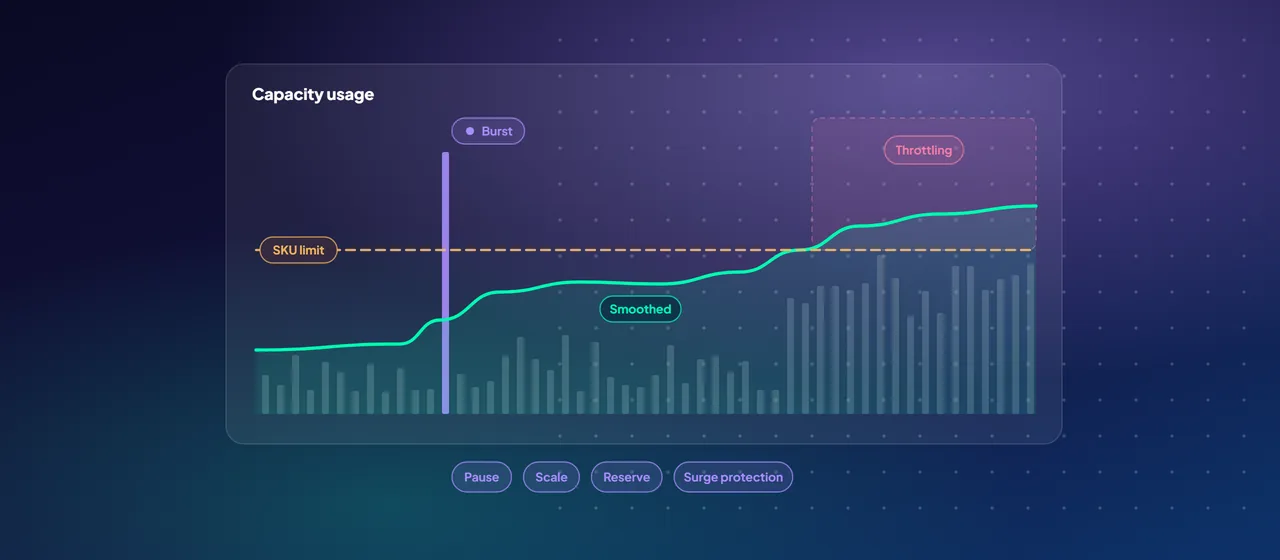
- Have a Fabric capacity running. Mirroring needs an active paid or trial capacity. If the capacity is paused, replication stops.
Then, in a Fabric workspace, create a Mirrored Oracle item, enter the connection details and gateway, and choose either all tables or a specific set.
What lands in OneLake
Fabric creates a mirrored database item with two things in it: read-only Delta tables in OneLake and a SQL analytics endpoint. From there:
- Analysts query the data with T-SQL, from the Fabric query editor, SQL Server Management Studio or VS Code, and can create views and join it with other warehouses and lakehouses.
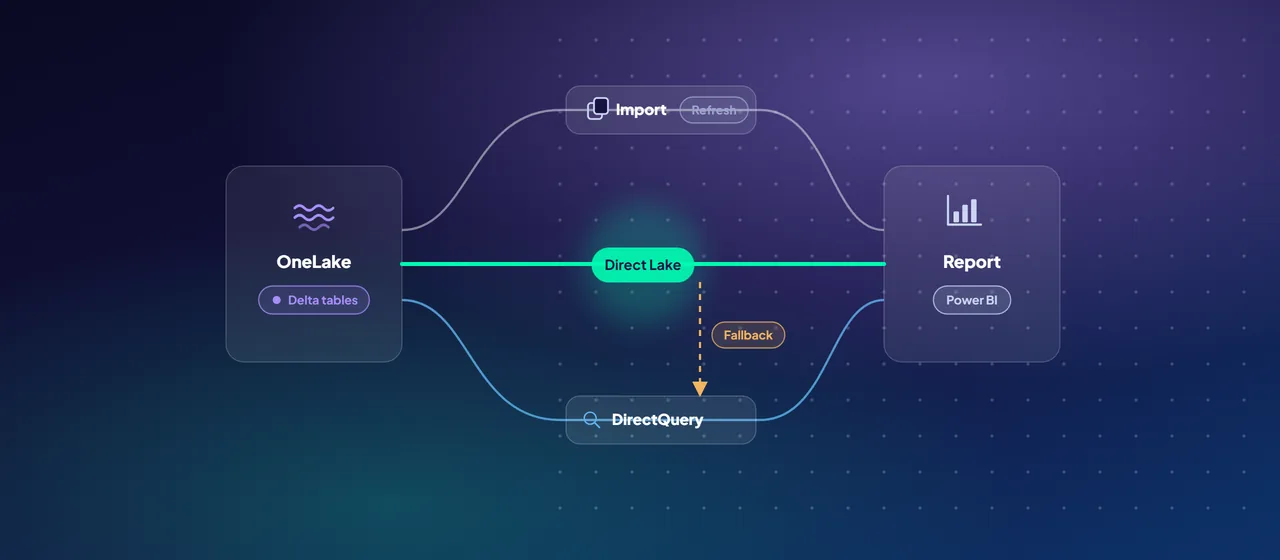
- Power BI can read the tables in Direct Lake mode, which loads Delta data straight into memory without an import refresh.
- Data engineers can shortcut the mirrored tables into a lakehouse and transform them with Spark into silver and gold layers.
Know the current limits before you promise scope:
- Up to 1,000 tables per mirrored database.
- Tables need a primary key or a unique index. Tables with neither are not mirrored.
- Table names must be shorter than 30 characters.
- A defined list of data types is supported, including VARCHAR2, NUMBER, DATE, CHAR, RAW and several TIMESTAMP and INTERVAL types. Large object types such as CLOB and BLOB are not on the list.
- Schema changes are partly supported: adding, dropping and renaming columns work, and changing a column's data type does not.
- Onboarding several very large tables at once causes memory spikes on the gateway. Stagger them.
Cost points
Mirroring changes the cost profile of getting Oracle data into analytics:
- Replication compute is free. The background compute Fabric uses to replicate data does not consume your capacity units.
- Mirrored storage is free up to a limit. Each capacity unit you buy includes 1 TB of mirroring storage. An F64 capacity, for example, includes 64 TB. Beyond that, or while the capacity is paused, you pay normal OneLake storage rates.
- Querying is charged normally. SQL, Spark and Power BI queries on mirrored data consume capacity like any other workload.
- The gateway is your cost. You run and pay for the machines that host the on-premises data gateway.
- Retention affects storage. Mirroring keeps old Delta files for a set retention period (one day by default for new mirrored databases) before cleaning them up. Longer retention enables time travel queries but uses more storage.
Where GoldenGate still fits
Oracle GoldenGate remains relevant, and Fabric supports it. GoldenGate 23ai can write into a Fabric mirrored database through open mirroring, the Fabric feature that lets a partner tool land change data in OneLake while Fabric handles the merge into Delta tables. Microsoft lists it as an open mirroring partner, available through the GoldenGate for Distributed Applications and Analytics 23ai product.
Consider GoldenGate, or another open mirroring partner, when:
- You already license and operate GoldenGate and want one replication tool for all targets.
- You need filtering or transformation in flight, rather than a straight copy.
- Your tables fall outside native mirroring limits, such as unsupported data types or tables without keys.
- Your security policy does not allow the broad LogMiner permissions or an on-premises data gateway.
- You need to replicate from non-Oracle sources through the same tool.
For a straightforward "get these Oracle tables into Fabric, continuously" requirement, native mirroring is simpler and has no separate replication license.
Where to start
Pick one Oracle schema with a clear reporting need and fewer than a few hundred tables. Check it against the limits above, agree the archive log and supplemental logging changes with your DBA, and mirror it into a trial or development capacity. Measure latency, gateway load and storage over two weeks before planning production. CloudGate runs Oracle-to-Fabric pilots of this kind.
Talk to an architect