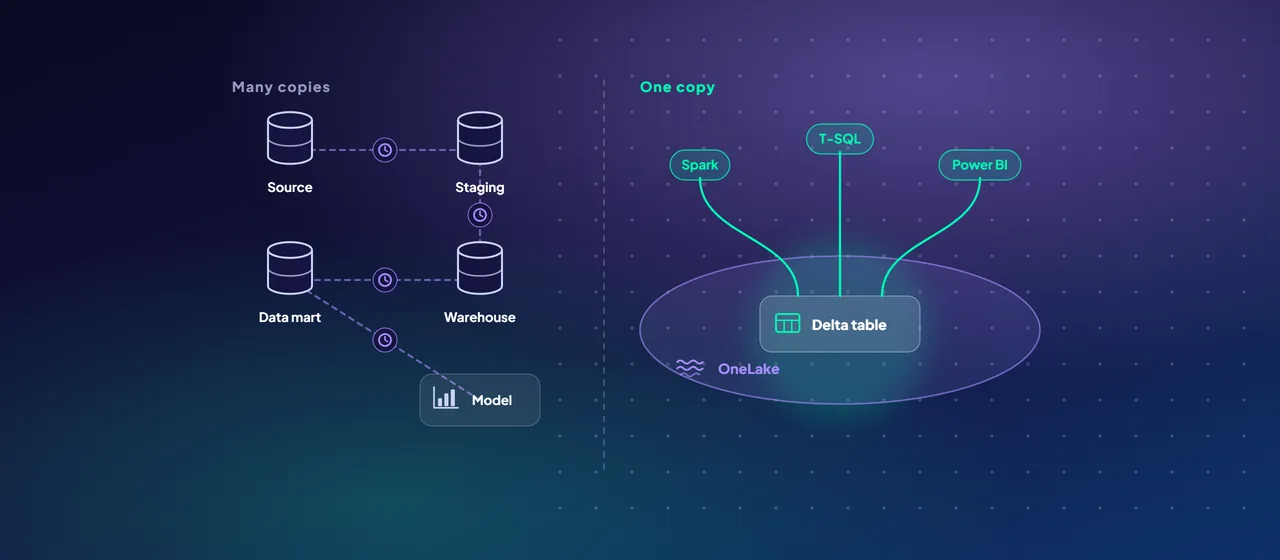
Power BI teams have lived with the same trade-off for years. Import mode is fast, but every refresh copies the data again, which takes time and compute and leaves reports hours behind the source. DirectQuery keeps reports current, but sends every visual's query to the source database, and users feel the wait.
Direct Lake, a storage mode in Microsoft Fabric, aims to remove that trade-off for data that already sits in OneLake. It's a strong option, but it has rules of its own: capacity guardrails, a fallback behavior that can quietly slow reports down, and security details that differ from Import. This post explains how it works and when to pick it.
Three storage modes, one question
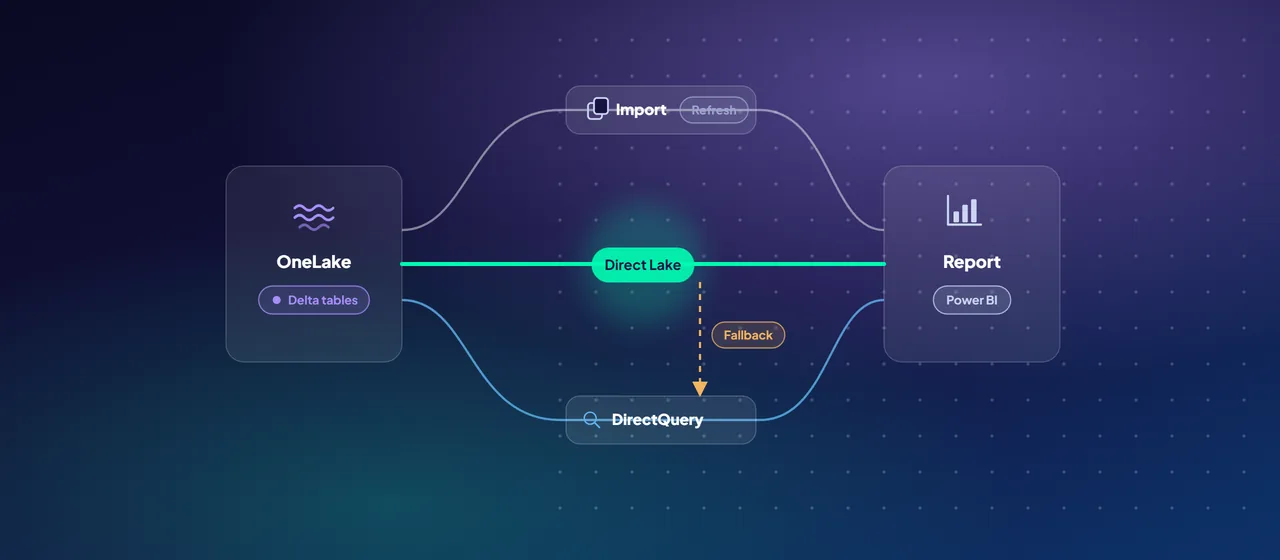
Storage mode is a property of each table in a Power BI semantic model, the layer that holds relationships, measures and security. The question each mode answers is where the data lives when someone opens a report:
- Import copies the data into the model. Queries run in memory on the VertiPaq engine, and a scheduled refresh reloads the whole copy.
- DirectQuery keeps the data at the source. The model translates each query, for example into SQL, and runs it against the source database.
- Direct Lake reads Delta tables in OneLake straight into memory when queries need them. Queries still run on VertiPaq, so Microsoft describes performance as comparable to Import, but there's no full data copy to refresh.
Direct Lake needs a Fabric capacity (an F SKU). Import and DirectQuery work with any Fabric or Power BI license.
How Direct Lake works
Three mechanisms explain almost everything about Direct Lake's behavior.
Column loading (transcoding). A Direct Lake model loads data only when a query first asks for a column. It then loads that whole column from the Parquet files behind the Delta table. Columns stay in memory until they're evicted, for example after a refresh, after a period of disuse, or under memory pressure on the capacity. Because only queried columns load, the data you analyze can be larger than the model's memory limit.
Framing. A Direct Lake "refresh" doesn't copy data. It reads the Delta table metadata and points the model at the latest Parquet files, which usually takes seconds. Queries then see the data as of the last successful framing, not necessarily the latest state of the table. That's useful: you can hold back new data until a load job has finished.
Automatic updates. A model setting called Keep your Direct Lake data up to date is on by default. It reframes the model whenever the underlying Delta tables change. Turn it off when you want to expose new data only after an ETL (extract, transform, load) run completes, and trigger refreshes from your pipeline instead.
Two kinds of Direct Lake, and fallback
Fabric offers two Direct Lake options, and the difference matters most when something goes wrong.
Direct Lake on OneLake reads Delta tables directly and can combine tables from several Fabric sources. You can also add Import tables to the same model. It never falls back to DirectQuery. Microsoft recommends it for new semantic models.
Direct Lake on SQL works through the SQL analytics endpoint of a single lakehouse or warehouse. When it can't load a table directly, it falls back to DirectQuery against that endpoint. Microsoft lists the triggers:
- Row-level security, object-level security or dynamic data masking defined at the SQL analytics endpoint.
- A table based on a SQL view that isn't materialized.
- A table that exceeds the capacity guardrails described below.
- A model that wasn't reframed after its Delta tables were created or changed.
One table over a guardrail prevents Direct Lake mode for the whole model. The Direct Lake behavior property controls what happens next. Automatic (the default) falls back silently. DirectLakeOnly makes queries fail instead. DirectQueryOnly always uses DirectQuery. Microsoft suggests DirectLakeOnly during development, to surface problems early, and designing your solution to avoid fallback in production. The DAX function TABLETRAITS shows which tables are falling back and why.
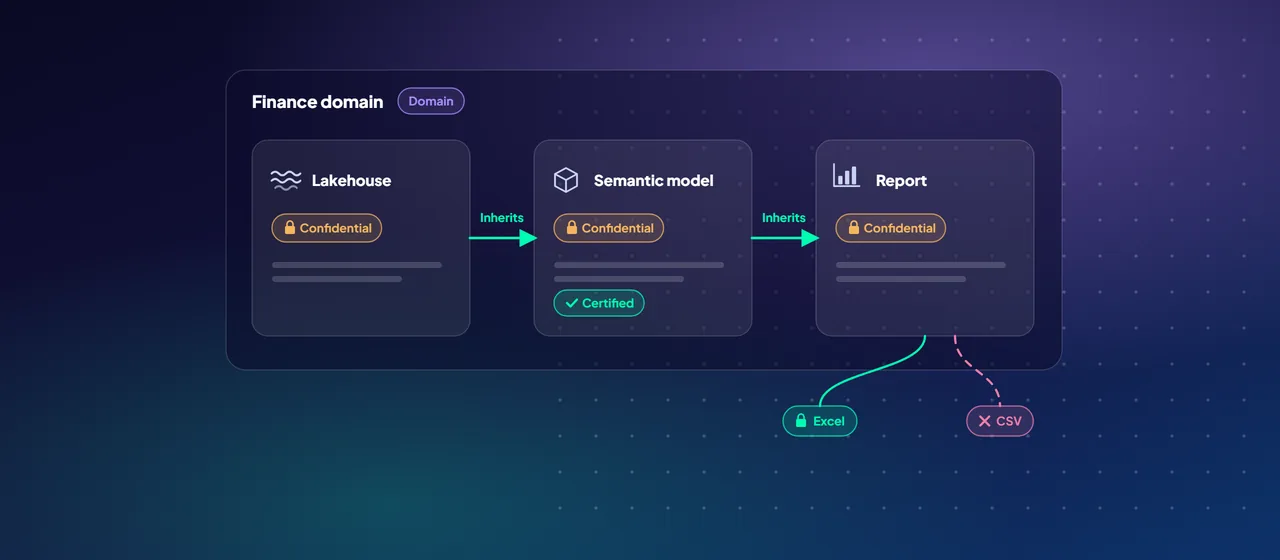
A security point is easy to miss. SQL row-level security at the endpoint is not applied by Direct Lake on OneLake, because it reads the files in OneLake directly. Define row-level security in the semantic model instead. Microsoft strongly recommends pairing model row-level security with a fixed identity cloud connection.
- Reads Delta tables directly
- Can combine several Fabric sources, plus Import tables
- Never falls back to DirectQuery
- Security or masking is defined at the SQL endpoint
- A table is a non-materialized SQL view
- A table exceeds the capacity guardrails
- The model wasn't reframed after changes
Guardrails and capacity
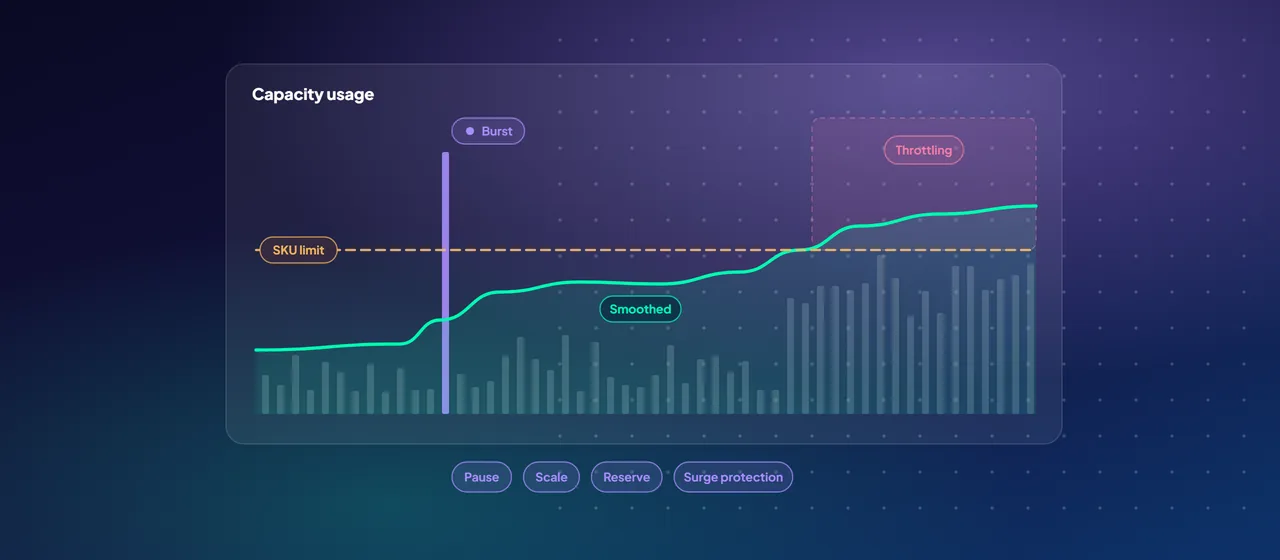
Each Fabric capacity size (SKU) sets per-table limits for Direct Lake. A few rows from Microsoft's published table:
- F2 to F32: up to 1,000 Parquet files, 1,000 row groups and 300 million rows per table.
- F64: up to 5,000 files, 5,000 row groups and 1.5 billion rows per table, with 25 GB of memory per model.
- F512 and above: up to 10,000 files and row groups per table.
Smaller SKUs also cap model size on disk: 10 GB for F2 to F8, rising to 40 GB at F32. From F64 there's no cap. When a table breaks a guardrail, Direct Lake on SQL falls back to DirectQuery if fallback is allowed. Direct Lake on OneLake fails to refresh, and the model can't be queried until the tables are fixed.
Microsoft's advice is to optimize your Delta tables before you scale up to a bigger SKU. Regular OPTIMIZE and VACUUM runs reduce file and row-group counts, and Microsoft publishes table maintenance guidance for Direct Lake, including V-Order.
Other limits to check early:
- Direct Lake doesn't work through on-premises or virtual network data gateways. It uses cloud connections only.
- The model must be in the same region as its data source.
- Calculated tables and calculated columns on Direct Lake on OneLake are in preview, with limitations. Direct Lake on SQL doesn't support calculated columns.
- Direct Lake tables have no model partitions or incremental refresh. Partition the Delta table instead.
When to choose which mode
Microsoft positions Direct Lake as a fit for IT-driven, lake-centric analytics, and in particular for the gold layer of a medallion architecture. A simple decision guide:
- Choose Direct Lake when curated Delta tables already exist in OneLake, data volumes make full Import refreshes slow or impractical, and your team controls data preparation upstream in Spark, T-SQL or pipelines.
- Keep Import for self-service models where analysts shape data in Power Query, or where sources sit outside Fabric. Microsoft notes that OneLake integration can write Import tables to Delta tables in OneLake, so other Fabric workloads can use them too.
- Use DirectQuery when the source must stay the only copy, or when you need near real-time freshness from an operational database and can accept slower queries.
- Mix them where it helps. Direct Lake on OneLake models can include Import tables, for example a small budget table maintained by finance.
Whichever you choose, Microsoft recommends building a prototype or proof of concept before you commit a production model to Direct Lake.
Where to start
Pick one important Import model that's slow to refresh and runs on gold tables in OneLake. Rebuild it as Direct Lake on OneLake in a test workspace, check the tables against your SKU's guardrails, move any SQL-level security into the model, and compare refresh time, query speed and capacity use. CloudGate runs these Direct Lake proofs of concept with Power BI and Fabric teams.
Talk to an architect