Cloud breaches rarely start with a clever exploit. They start with a storage account open to the internet, a virtual machine with an exposed management port, or an identity with far more permissions than it needs. Each is a small configuration mistake. Across hundreds of subscriptions and several clouds, they add up faster than any team can review by hand.
Cloud security posture management (CSPM) is the discipline of finding those mistakes continuously and fixing them in order of risk. Microsoft Defender for Cloud provides it for Azure, AWS and Google Cloud. The hard part isn't turning it on. It's knowing what the free tier covers, what the paid tier adds, and which of the thousands of recommendations to fix first.
Foundational CSPM versus Defender CSPM
Defender for Cloud has two posture plans.
Foundational CSPM is free. It assesses your resources against the Microsoft cloud security benchmark (MCSB) and gives you:
- Asset inventory across connected environments
- Security recommendations with remediation steps
- Secure score
- Workflow automation and data export
- Reporting with Azure Workbooks
Defender CSPM is paid, billed per billable resource such as virtual machines, storage accounts and SQL servers. It adds the context that turns a list into priorities:
- Attack path analysis and the cloud security explorer
- Risk prioritization and critical asset protection
- Agentless vulnerability and secrets scanning for virtual machines
- Sensitive data discovery
- Internet exposure analysis and external attack surface management
- Governance rules to assign owners and due dates at scale
- AI and API security posture
- Assessments against regulatory standards beyond MCSB
One date to note. From October 27, 2026, Foundational CSPM moves to an opt-in model for new Azure subscriptions. It stays free, and existing subscriptions keep their settings, but new subscriptions start with it off. AWS and Google Cloud onboarding isn't affected. If your landing zone creates subscriptions automatically, add a step that enables the plan.
- Asset inventory
- Recommendations with remediation steps
- Secure score
- Workflow automation and data export
- Attack path analysis and cloud security explorer
- Risk prioritization and critical asset protection
- Agentless vulnerability and secrets scanning
- Governance rules for owners and due dates
Secure score: know which one you're reading
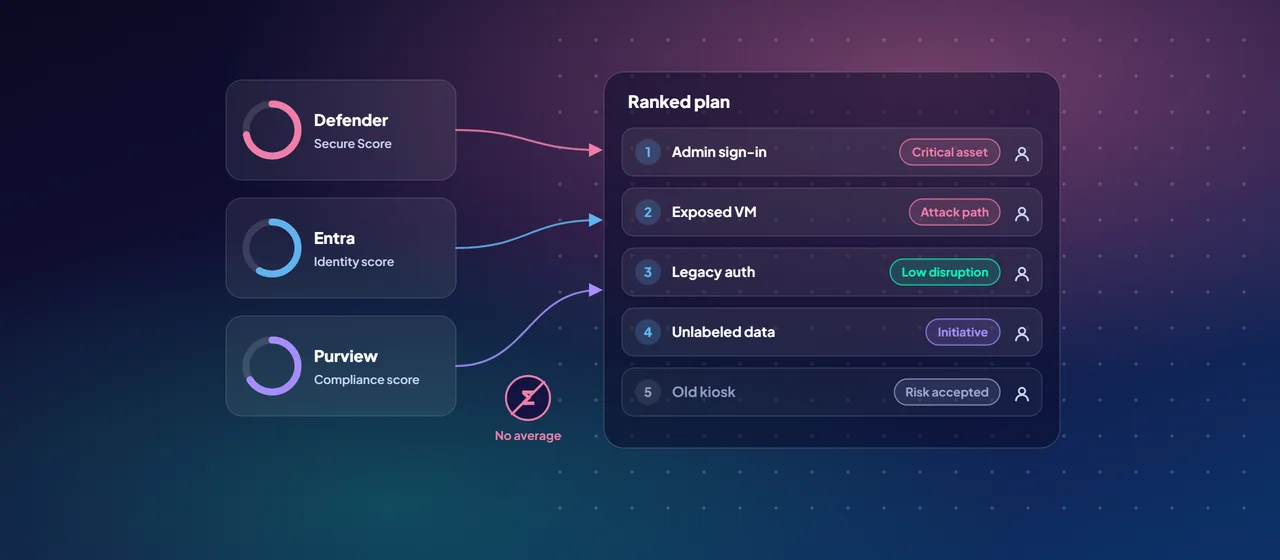
Defender for Cloud now has two secure score models, and Microsoft states they're completely different, with different values.
- Classic secure score in the Azure portal is based on MCSB security controls. Each control, such as "Enable MFA" or "Secure management ports", has a maximum number of points. You earn them only when every resource passes every recommendation in the control. Scores are recalculated every eight hours.
- Cloud Secure Score in the Microsoft Defender portal is risk-based. It runs from 0 to 100 and weights open recommendations by risk level, asset risk factors such as internet exposure and data sensitivity, and how critical the asset is.
Pick one for reporting and stick to it. Also expect movement that isn't caused by your team. Microsoft notes that from June 30, 2026, more than 200 new AWS and Google Cloud recommendations count toward secure score, so multicloud scores can drop simply because more is being assessed. Recommendations marked as preview don't count until they're generally available.
The regulatory compliance dashboard
The regulatory compliance dashboard maps your resources to the controls of a standard. MCSB is assigned by default. AWS connectors also get the AWS Foundational Security Best Practices standard, and Google Cloud connectors get a GCP default standard.
To assess against other standards, you need a paid Defender for Cloud plan other than Defender for Servers Plan 1 or Defender for APIs Plan 1. The catalog includes ISO/IEC 27001:2022, NIST CSF v2.0, PCI DSS v4.0.1, the SWIFT Customer Security Controls Framework, DORA, NIS2 and the EU AI Act, among others.
Treat the dashboard as evidence, not a verdict. Controls that can't be assessed automatically show as greyed out, and you need other evidence for them. Assign standards in the Azure portal. The Defender portal gives a read-only view for tracking progress.
Attack paths: fix what an attacker would actually use
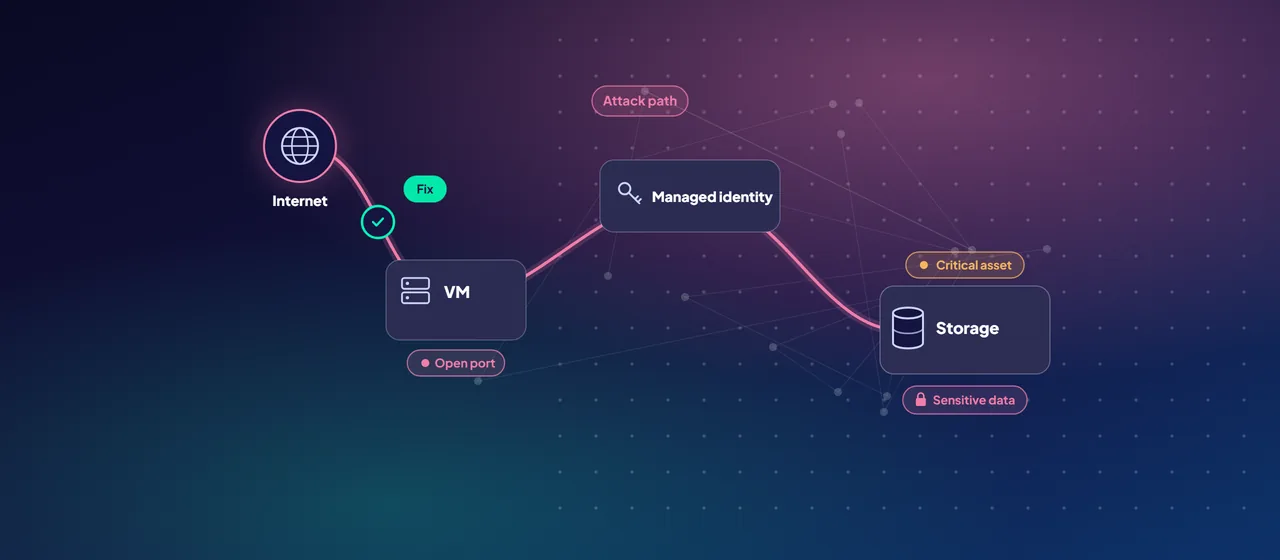
Attack path analysis is where Defender CSPM earns its cost. Defender for Cloud builds a cloud security graph of your assets, network connections, identities, permissions, vulnerabilities and internet exposure. It then looks for paths that start at an external entry point, such as an internet-exposed vulnerable VM, and move laterally until they reach a critical target, such as a database with sensitive data.
Each path comes with the recommendations that break it. That changes the conversation from "we have 3,000 open recommendations" to "these five fixes close the paths to our payment data". The cloud security explorer lets you query the same graph yourself, for example to find every internet-facing VM with a high-severity vulnerability and a managed identity.
Attack paths need Defender CSPM plus either agentless scanning for virtual machines or the vulnerability assessment in Defender for Servers.
Connecting AWS, Google Cloud and code
Defender for Cloud connects to other clouds natively, without long-lived secrets:
- AWS: connect a single account or the management account. With the management account, member accounts, including new ones, get connectors automatically. You deploy the access with CloudFormation or Terraform, and Defender for Cloud uses federated, short-lived credentials.
- Google Cloud: connect a single project or a whole organization, using workload identity federation set up by a generated gcloud script.
- Code and on-premises: GitHub, Azure DevOps and GitLab connect for DevOps posture, and on-premises servers come in through Azure Arc.
You can set the scan interval to 4, 6, 12 or 24 hours. AWS CloudTrail and Google Cloud Logging ingestion, which add activity context to entitlement findings, are in preview.
A practical rollout order
- Enable Foundational CSPM everywhere. Cover every Azure subscription through your management group structure, and make sure new subscriptions opt in.
- Connect other clouds at the top. Onboard the AWS management account and the Google Cloud organization, not individual accounts one by one.
- Record a baseline. Capture secure score, recommendation counts and top failing controls for each environment.
- Assign the standards you answer to. Choose the two or three frameworks your regulators and auditors use.
- Turn on Defender CSPM for production. Enable agentless scanning, mark critical assets, and review attack paths.
- Fix attack paths first, then critical and high-risk recommendations on critical assets. Use governance rules to assign owners and due dates.
- Prevent regression. Use the Enforce and Deny options on recommendations, so new resources can't reintroduce the same issues.
- Review monthly. Track the score trend, new attack paths and overdue items.
Where to start
Start with a cloud posture assessment. Connect your Azure, AWS and Google Cloud environments, record a baseline, map it to the standards you report against, and review the first attack paths with the teams that own those workloads. CloudGate runs these assessments for organizations that want help setting up the first cycle.
Talk to an architect