Most Azure estates don't start with a plan. A team needs a server, someone creates a subscription, and a year later there are dozens of subscriptions with different owners, overlapping IP ranges, inconsistent tags and no clear answer to "who can change the firewall?" Fixing that after production workloads depend on it is slow and risky.
An Azure landing zone is how you avoid that. It is the governed foundation that every workload lands on: the subscriptions, identity, network, policies and monitoring that are in place before the first application arrives. This post walks through the decisions that shape it, in the order Microsoft's Cloud Adoption Framework (CAF) suggests you make them.
What a landing zone is, and the two layers inside it
Microsoft defines an Azure landing zone as a proven, flexible architecture for governing, securing and scaling a multi-subscription Azure environment. It has two layers:
- Platform landing zone: the central foundation owned by a platform team. It holds the management group hierarchy, shared services such as connectivity, security monitoring and identity services, and the process for handing out new environments to workload teams. Microsoft says most organizations should have only one platform landing zone per Microsoft Entra tenant.
- Application landing zones: one per workload. Each contains all of that workload's environments (development, test, production), and each environment is one or more subscriptions. Workload teams run these, inside the guardrails the platform sets.
Before building either layer, CAF asks you to work through eight design areas. Use them as your decision checklist:
- Azure billing and Microsoft Entra tenant: which agreement, which tenant, who owns enrollment.
- Identity and access management: how people and workloads authenticate and what they may do.
- Resource organization: management groups, subscriptions, naming and tagging.
- Network topology and connectivity: hub-and-spoke or Virtual WAN, hybrid links, IP addressing.
- Security: the controls and processes that protect the environment.
- Management: monitoring, backup and recovery baselines.
- Governance: automated auditing and enforcement of policy.
- Platform automation and DevOps: the tools and pipelines that deploy and change all of the above.
- Management group hierarchy
- Connectivity, security monitoring and identity services
- The process for handing out new environments
- Usually one per Microsoft Entra tenant
- One per workload
- Its development, test and production environments
- Each environment is one or more subscriptions
- Inside the guardrails the platform sets
Resource organization: management groups and subscriptions
Management groups sit above subscriptions and let you apply policy and access once, to many subscriptions. Azure supports up to six levels of depth, but CAF recommends staying at three or four. The most common mistake is copying the org chart into the hierarchy. Group by governance need instead.
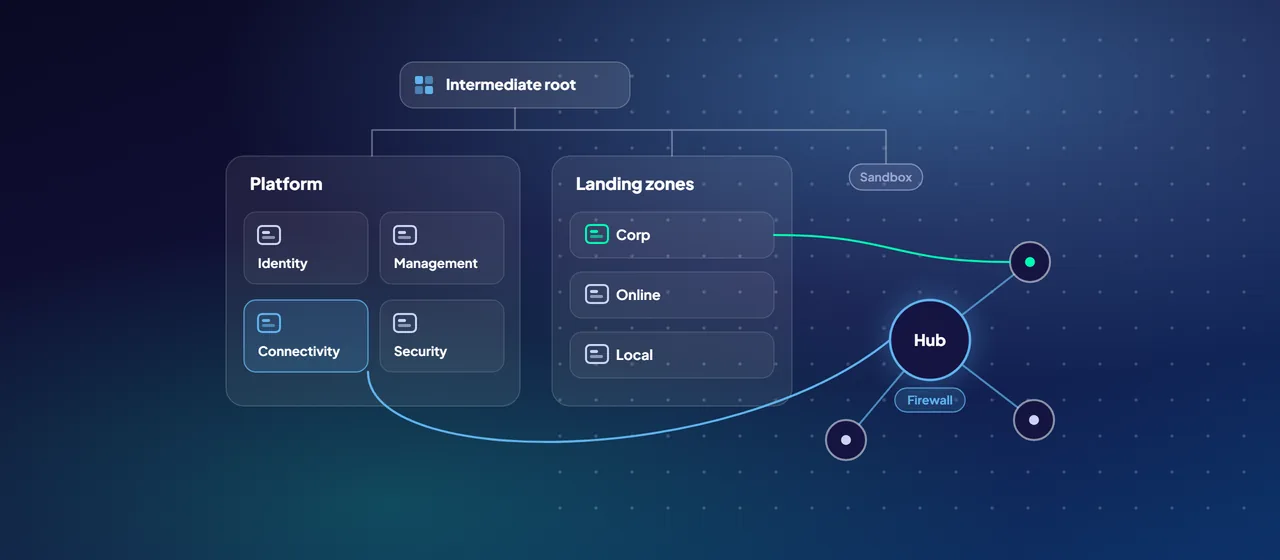
The reference hierarchy looks like this:
- An intermediate root under the tenant root, so you never have to assign anything at the tenant root itself.
- Platform, with child groups for Security, Management, Connectivity and Identity, each holding a dedicated subscription.
- Landing zones, with Corp (workloads that connect to the corporate network through the hub), Online (internet-facing workloads) and Local (Azure Local clusters and their workloads).
- Sandbox for isolated experimentation, and Decommissioned for canceled landing zones.
Two rules save a lot of rework. Don't create management groups for production, test and development; separate those by subscription. And don't create management groups per Azure region, unless you have location-based requirements such as data residency or sovereignty, which is a real consideration for many regulated organizations in the Middle East.
As requests grow, you need subscription vending: a repeatable, automated way to issue a new, preconfigured subscription to a workload team, with networking, role assignments, budget and tags already in place. Microsoft publishes Bicep and Terraform modules for it.
Identity: the first security boundary
CAF calls identity and access management a primary security boundary in the public cloud. The recommendations are specific:
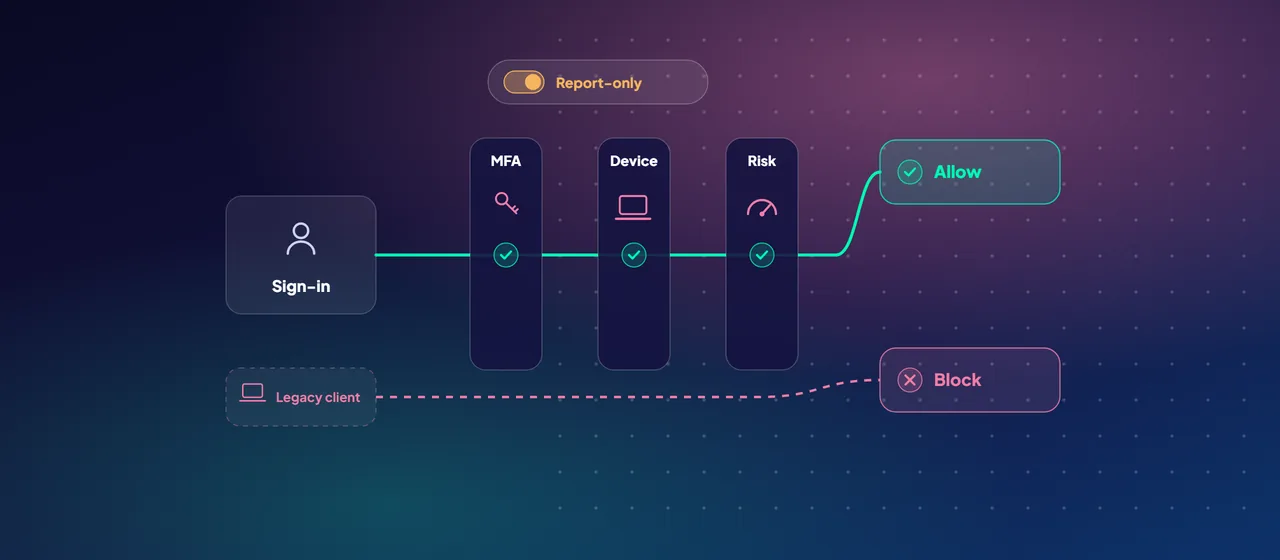
- Enforce multifactor authentication for everyone with access to Azure, and prefer phishing-resistant methods. Use Microsoft Entra Conditional Access to set stricter rules for administrators.
- Assign roles to groups, not individual users, and give administrators separate cloud-only accounts for privileged work.
- Use Microsoft Entra Privileged Identity Management (PIM) so high-privilege roles such as Owner are granted just in time, not permanently.
- Place landing zone role assignments at the subscription or resource group scope, and Azure Policy assignments at the management group scope. That way workload teams have autonomy over their resources but can't change the policies that govern them.
- Use managed identities for workload deployments, so there are no secrets to rotate or leak.
- Create emergency-access (break-glass) accounts, monitor them, and test them regularly.
If you still need Active Directory Domain Services for legacy applications, the reference architecture puts domain controllers in the dedicated identity subscription, peered to the hub.
Network topology: hub-and-spoke or Virtual WAN
CAF offers two topologies. Both put shared services such as Azure Firewall, VPN and ExpressRoute gateways and DNS in a central connectivity subscription, with workload networks connecting to it.
Azure Virtual WAN is a Microsoft-managed service that reduces network complexity. CAF recommends it if you need global connectivity across several Azure regions and multiple on-premises sites, if you are integrating a large SD-WAN branch network or need more than 30 branch sites with native IPsec termination, or if you need transitive routing between VPN and ExpressRoute.
Traditional hub-and-spoke gives you full control of routing and security, and you manage it yourself. CAF recommends it when you run in one or a few regions without needing a full mesh between them, have fewer than 30 site-to-site IPsec tunnels, and want to configure routing policy manually.
Whichever you choose, plan IP addressing up front. Never allow overlapping address spaces in one routing domain, and use an IP address management (IPAM) tool within your vending process.
Guardrails as policy, deployed as code
Azure Policy is what makes a landing zone self-enforcing. CAF describes policy as a replacement for slow change-advisory reviews: guardrails that apply automatically and audits that run continuously. In practice:
- Map your regulatory and internal controls to Azure Policy definitions, starting from the policies shipped with the Azure landing zone reference architecture.
- Assign policies at the highest sensible management group and use exclusions lower down, but keep assignments at the root to a minimum.
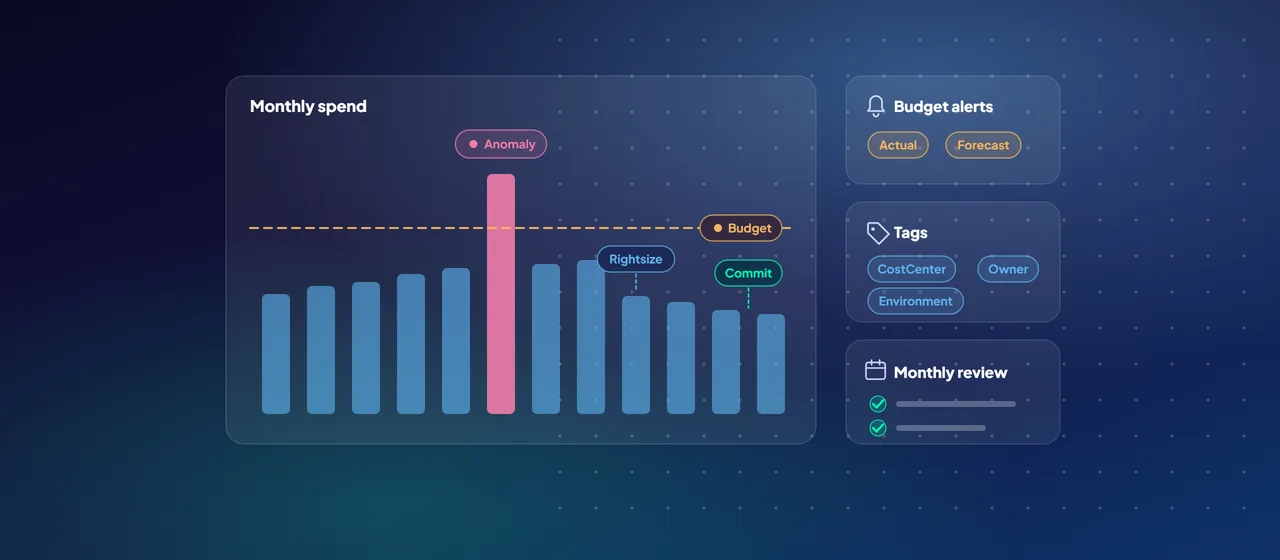
- Use policies to restrict regions, resource types and SKUs, and to require tags for cost reporting.
- Policies that remediate automatically (the DeployIfNotExists effect) need a managed identity with only the permissions required.
For deployment, Microsoft's recommended route is the Azure landing zone IaC accelerator. It uses Azure Verified Modules for either Bicep or Terraform and supports Azure DevOps or GitHub for source control and pipelines. It runs in four phases: plan (choose your language and source control), prerequisites (credentials and subscriptions), bootstrap (a PowerShell module that prepares Azure and your repository), and run (customize the code and let CI/CD deploy it).
There is also a portal accelerator for teams without infrastructure-as-code skills. Microsoft notes it is less flexible and harder to update, and recommends moving to infrastructure as code when you can. Treat the landing zone as a product that changes over time, not a one-off build.
Where to start
Start with a short design workshop that walks through the eight design areas with your identity, network, security and finance owners in the room, and writes down a decision for each. Then deploy the platform landing zone with the IaC accelerator into a test management group, vend one application landing zone, and move one low-risk workload through it end to end. CloudGate runs these landing zone workshops and accelerator deployments if you want a partner alongside your team.
Talk to an architect