The pilot went well. A small team used the assistant for a few weeks, the demo impressed the steering committee, and now someone asks the obvious question: can we roll it out to everyone?
That is where many AI projects stall. A pilot proves the idea can work. Production needs proof that it keeps working, stays safe when real users try unexpected things, and costs what you planned. This post covers the three areas that decide whether a pilot graduates: evaluation, guardrails and cost, using Microsoft Foundry (formerly Azure AI Foundry; you'll see both names in documentation for a while).
What changes between pilot and production
In a pilot, a handful of friendly users ask expected questions, and the team fixes problems by hand. In production:
- Users ask questions nobody planned for, often in more than one language.
- Some users try to break the system, deliberately or not.
- Models get updated or retired, and prompts that worked stop working.
- Usage grows, and so does the bill.
- Auditors and risk teams want evidence, not anecdotes.
Each of these needs a control you can show, not a promise.
Evaluation: define "good" before you ship
The most common gap in pilots is that nobody wrote down what a good answer looks like. Fix that first.
Foundry provides built-in evaluators for general quality (such as coherence and fluency), for retrieval-augmented generation (groundedness and relevance), for safety and security (such as hate and unfairness, violence and protected material), and for agents (such as tool call accuracy and task completion). You can add custom evaluators for your own rules, for example "always cite the policy number".
A practical evaluation setup:
- Build a test set. Collect real questions from the pilot. Add edge cases and questions the assistant should refuse. Record the expected answer or behavior for each.
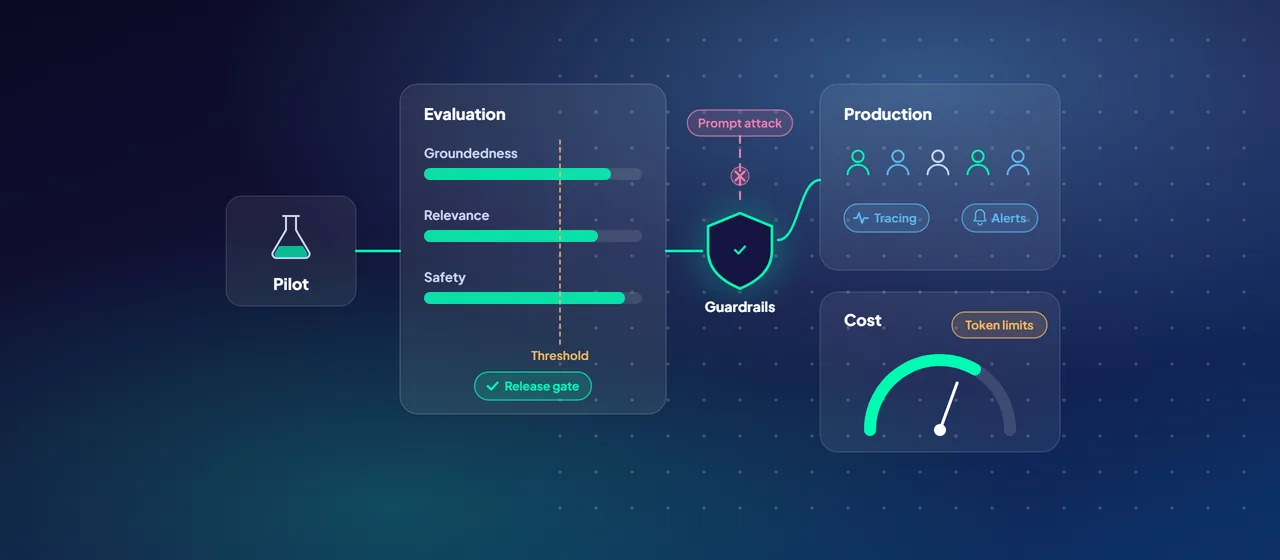
- Set thresholds. Agree minimum scores for groundedness, relevance and safety with the business owner and the risk team.
- Gate releases. Run the evaluation in your CI/CD pipeline whenever the prompt, model, index or tools change. Block the release if scores fall below threshold.
- Red team before launch. The AI Red Teaming Agent in Foundry (preview) simulates adversarial attacks using Microsoft's open-source PyRIT framework. Microsoft recommends using it alongside human review.
- Keep evaluating after launch. Foundry supports continuous evaluation of a sample of production traffic, scheduled evaluations against your test set to catch drift, and scheduled red teaming.
Evaluations are billed on consumption. Evaluations in the agents playground are on by default in Foundry projects, so switch them off where you don't need them.
- 1Test set
Real pilot questions, edge cases and ones to refuse.
- 2Thresholds
Minimum scores agreed with the business owner and risk team.
- 3Gate releases
Run in CI/CD whenever the prompt, model, index or tools change.
- 4Red team
Simulated attacks before launch, alongside human review.
- 5Keep evaluating
Sample production traffic and rerun the test set to catch drift.
Guardrails: decide what the system must never do
A guardrail in Foundry is a named set of controls. Each control defines a risk to detect, where to check for it, and what to do when it's found. You can check the user's input and the model's output. For agents, you can also check tool calls and tool responses, both in preview. Guardrails for agents are in preview overall.
The risks you can control include:
- Hate, sexual, violent and self-harm content, each with its own severity threshold.
- User prompt attacks (jailbreaks) and indirect attacks hidden in documents or tool output.
- Protected material in text and code.
- Personally identifiable information (preview).
- Groundedness (preview), and task adherence (preview), which checks whether an agent's tool use matches what the user asked for.
Model deployments get Microsoft's default guardrail unless you assign another. Review it instead of assuming it fits. A bank's customer-facing assistant and an internal engineering tool need different settings. Note also that an agent's guardrail fully overrides the guardrail of its underlying model, so an agent with a weaker policy doesn't inherit the model's stricter one.
Guardrails sit alongside the usual platform controls, not in place of them: Microsoft Entra ID and managed identities instead of API keys, private endpoints where your network policy requires them, and least-privilege roles on each Foundry project.
Observability: know what happened and why
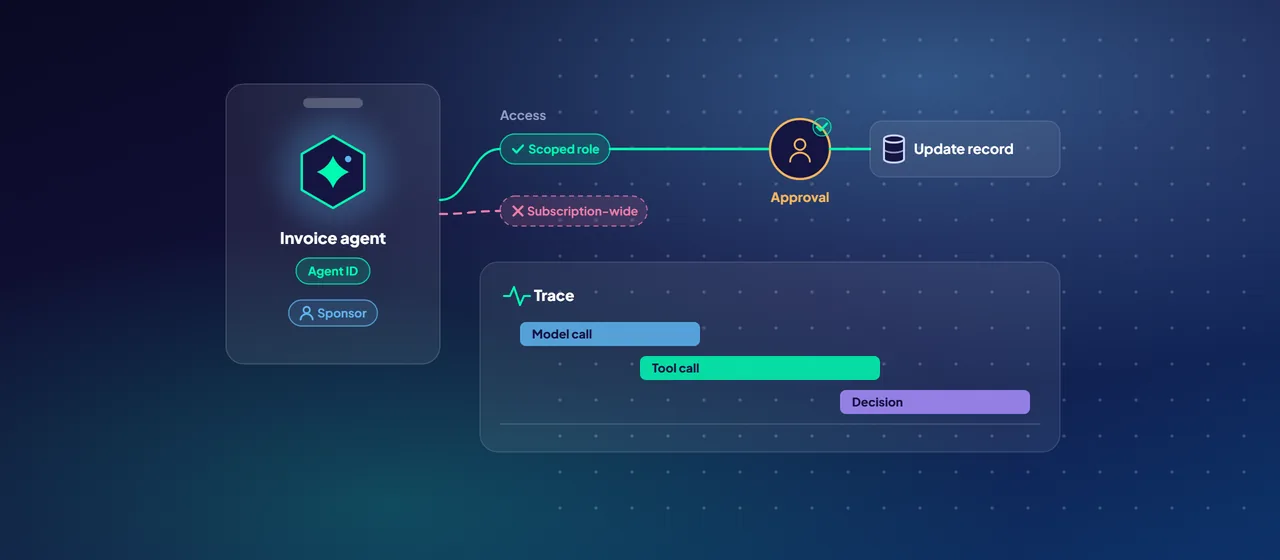
When a user reports a bad answer, you need to reconstruct what happened. Foundry tracing is built on OpenTelemetry and integrated with Azure Monitor Application Insights. It captures model calls, tool calls and agent decisions, and supports frameworks including LangChain, LangGraph, the OpenAI Agents SDK and Microsoft Agent Framework.
The monitoring dashboard tracks token use, latency, error rates and quality scores. You can set Azure Monitor alerts when outputs fall below quality thresholds or produce harmful content. Decide early who owns each alert. An alert nobody watches isn't a control.
Cost: choose the deployment type on purpose
Model cost follows tokens, and the deployment type shapes both price and where data is processed. Foundry offers three main categories:
- Standard (pay per token), in global, data zone or single-geography variants. Microsoft suggests Global Standard as the starting point for most workloads.
- Provisioned throughput, where you reserve capacity in provisioned throughput units (PTUs). It gives predictable throughput and lower latency variance, and suits steady, high-volume workloads.
- Batch, for large asynchronous jobs with a 24-hour target turnaround. Microsoft prices Global Batch at 50% less than Global Standard.
Data residency is part of this choice. Data at rest stays in the Azure geography you choose. Global deployments may process prompts in any Azure region. Data Zone deployments keep processing within the US, EU or Asia Pacific zone. Standard and Regional Provisioned deployments keep processing within your chosen geography. If your regulator expects in-country processing, confirm which models are available in that deployment type and region before you commit to one.
Three more cost levers:
- Model router is a deployable model that picks a model for each request, using smaller, cheaper models when they are good enough. It has Balanced, Cost and Quality modes. Compare it with your current baseline before switching.
- An AI gateway in Azure API Management sets token limits per app or team, emits token metrics per consumer for chargeback, balances load across deployments (for example, using your PTU capacity first) and can cache answers to semantically similar prompts.
- Prompt discipline. Shorter system prompts, fewer retrieved chunks and sensible output limits reduce cost on every call.
A production readiness checklist
Before go-live, you should be able to answer yes to each of these:
- A test set exists, thresholds are agreed, and evaluation runs automatically on every change.
- Red teaming is done, and each finding is fixed or formally accepted by a named owner.
- The guardrail policy has been reviewed for this use case, not left at defaults by accident.
- Access uses Microsoft Entra ID, and network access is private where required.
- Tracing, dashboards and alerts are live, and each alert has an owner.
- The deployment type meets your data residency requirement.
- Token limits and budgets are set per app or team.
- There is a plan for model updates and retirements.
Where to start
Take your most promising pilot and run a production readiness review against the checklist above. It usually surfaces two or three gaps that matter, and a short plan to close them. CloudGate runs these reviews and can help build the evaluation pipeline and guardrails.
Talk to an architect